
RetroArch
Screenshots
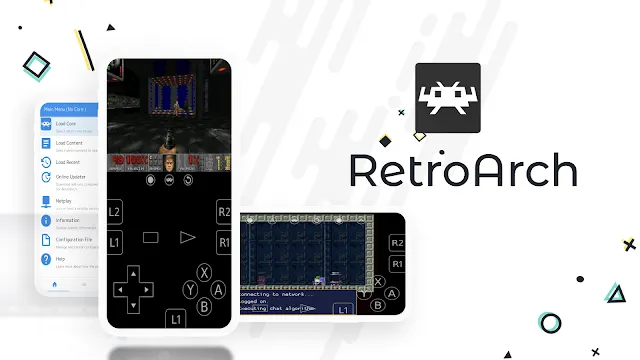
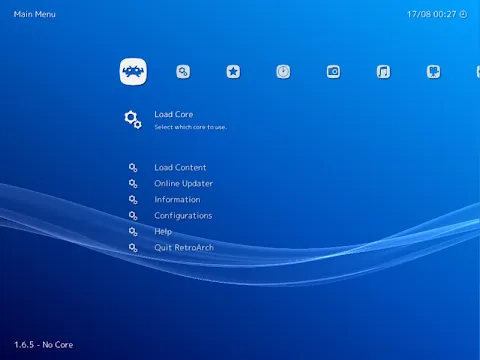
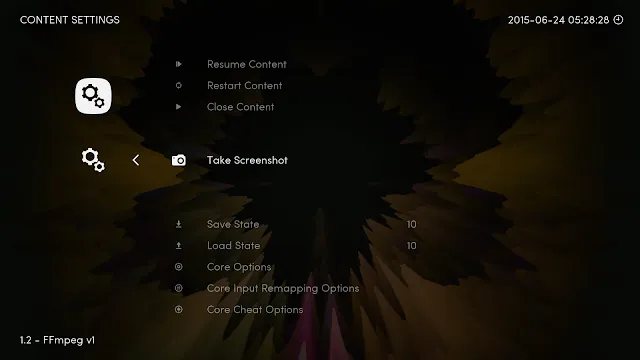
RetroArch transforms your mobile device into a classic gaming console. You can play your favorite old games anywhere. Many people love classic gaming. However, managing separate emulators gets annoying quickly. RetroArch solves this issue. It organizes all your games in one place. You get a clean interface. Then, you can launch various retro systems smoothly. This guide explains how to get the most from this software. You will learn setup tips and tricks. Let us dive into the world of classic gaming.
Old games hold a special place in our hearts. They remind us of childhood days. Sadly, old consoles break over time. Cartridges can degrade too. RetroArch helps preserve these gaming memories. It acts as a bridge to the past. You do not need heavy hardware. Your modern phone handles the task easily. Thus, you can carry an entire arcade in your pocket. Let us examine what makes this setup unique.
Mobile gaming often lacks depth. Many modern games require constant internet connections. They push advertisements into your face. RetroArch offers a completely different path. It focuses purely on traditional, offline gameplay. You control the experience completely. No one tracks your progress for ads. This privacy makes the software highly appealing. It respects the player completely.
What is RetroArch and How Does It Work?
RetroArch acts as a frontend for emulators and game engines. It uses an interface system called Libretro. Developers create modular plugins for it. These plugins are called cores. Each core represents a specific classic console. For example, you can load a Game Boy core. Then, you can load a PlayStation core. You do not need to download five different tools. RetroArch keeps everything under one roof. This structure saves storage space on your device.
Furthermore, it unifies your game controller settings. You configure your button layout once. Afterward, the layout works across all your classic games. This feature makes your gaming sessions seamless.
The modular nature of the system provides great flexibility. You can update cores individually. If a core receives a performance fix, you download it instantly. You do not wait for a full system update. This keeps your emulation accurate. Moreover, the system supports many file formats. It can read compressed zip files directly. This saves even more internal storage space. It simplifies the user experience greatly.
You might wonder about compatibility. Cores exist for almost every historic system. You can explore rare systems from the eighties. You can also enjoy popular systems from the nineties. The development team updates these cores regularly. They fix bugs and improve execution speed. Therefore, the software stays relevant over time.
Why RetroArch Is the Ultimate Mobile Gaming Tool
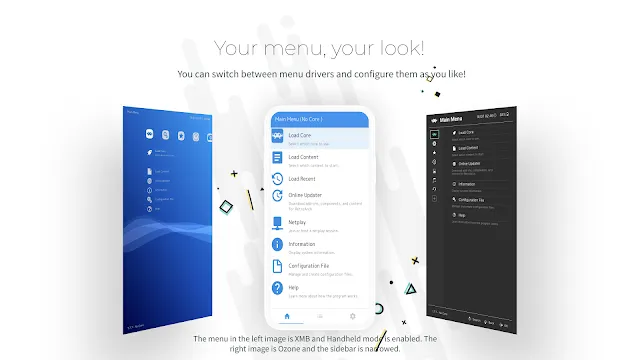
RetroArch offers deep customization options for classic gaming fans. You can change the appearance of menus. Also, you can apply visual filters to your games. These filters mimic old television screens. Therefore, your games look authentic. The software supports touch controls. However, physical controllers offer a much better experience. You can connect a Bluetooth gamepad easily. RetroArch recognizes popular controllers instantly. This means you can play complex games without frustration.
Additionally, it features low latency options. Your inputs feel responsive. You can jump and shoot with precision. This level of control is vital for difficult retro titles.
Many mobile systems suffer from audio lag during emulation. RetroArch handles audio processing efficiently. It matches the video frame rate perfectly. As a result, music sounds smooth. Sound effects trigger without delay. You can also customize the on-screen overlays. If you lack a gamepad, use virtual buttons. You can resize these buttons. You can change their transparency too. This ensures your thumbs do not block the action.
Portable gaming requires efficiency. The software consumes minimal battery when configured properly. You can enjoy long gaming sessions during travel. It adapts to your specific hardware capabilities. Therefore, older phones can still run many classic games. You do not need the latest expensive device.
Step-by-Step Guide to Set Up RetroArch
Setting up RetroArch requires a few specific steps. Follow this sequence carefully for the best results:
- Download the Software: Step 1.Download RetroArch from the download page.
- Initialize the UI: Step 2.Open RetroArch on your mobile device to generate base folders.
- Update Assets: Step 3.Navigate to the online updater section in the main menu. Select the option to update core info files.
- Download Core Data: Step 4.Download the updated assets, autoconfig profiles, and databases from the updater list.
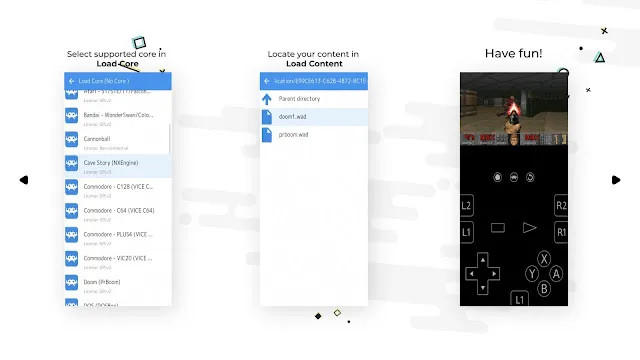
- Install Core Plugins: Step 5.Click on the core downloader tool. Select your preferred classic system from the list. Wait for the core installation to finish completely.
This process ensures the interface looks correct. Now, RetroArch is ready for your game files. You can load games from your internal storage. Make sure your files reside in an accessible folder. Then, you can choose the load content option. Select your game file. Match it with the correct core. The game boots instantly. It is that simple.
Sometimes, files require special bios files to run. These are system files from the original consoles. Place these files in the system folder of RetroArch. The online documentation explains which systems need them. Once you add them, advanced emulation works flawlessly.
Managing Your Game Collection with RetroArch
RetroArch allows you to organize your game files efficiently. You should store your game files in a dedicated folder. Then, use the scan directory feature. RetroArch searches your storage for compatible games. It matches your files with an online database. Consequently, the tool adds beautiful box art to your menu. Your collection looks like a digital arcade.
You can sort games by system or playlist. This layout makes finding a specific game very fast. If a file does not scan, you can add it manually. RetroArch provides flexible tools for data management. Your library remains clean and easy to navigate.
Playlists make your life much easier. You can create custom lists for your favorite titles. For example, group all RPG games together. Alternatively, make a list of multiplayer games. This prevents endless scrolling through huge libraries. You can edit playlist names anytime. You can also remove entries easily. RetroArch gives you total control over your collection. It turns a messy folder into a beautiful gallery.
Good organization saves time. You spend less time searching and more time playing. The interface supports search functionality as well. Just type the game title to launch it immediately.
Essential Settings for Optimal RetroArch Performance
RetroArch runs well on most modern devices. However, some settings improve the emulation speed significantly. Open the video settings menu. Enable hardware bilinear filtering if games look too pixelated. Next, check the audio settings. You can lower the audio latency for better synchronization. If your device gets hot, turn on power-saving options.
Frame throttling prevents your games from running too fast. You can also save your settings for specific games. This means a heavy game can have unique configurations. RetroArch applies these rules automatically upon launch. You enjoy smooth gameplay without constant tweaking.
Consider the following performance adjustments for older mobile devices:
- Switch the video driver from OpenGL to Vulkan if your hardware supports it.
- Disable heavy video shaders to reduce processor strain.
- Turn off the rewind feature for complex 3D console emulation.
- Use standard audio drivers to prevent speaker stuttering.
- Close background programs before starting a gaming session.
These tweaks maintain high frame rates. Your device will stay cooler during long sessions. Battery life will improve noticeably as well. Always test games after changing major settings. This helps you identify which tweak works best.
Advanced Features of RetroArch Worth Exploring
RetroArch includes features that classic consoles never had. For example, you can use the netplay feature. Netplay lets you play multiplayer games over the internet. You can challenge friends worldwide. Another great feature is the rewind option. Did you miss a crucial jump? Simply hold the rewind button to try again. You can also save your progress at any exact moment.
These are called save states. RetroArch manages multiple save slots per game. Furthermore, you can earn retro achievements. Connect your account to track your gaming milestones. These features refresh old games with modern rewards.
You can also record your gameplay directly. RetroArch supports video streaming tools too. You can share your high scores with the world. If you love statistics, check the play counter. It tracks your total hours spent on each game. This data helps you analyze your gaming habits. The software even supports translation features. It can translate foreign game text in real time. This opens up many unreleased Japanese games for global players.
Cheats are also integrated into the system. You can activate codes to overcome impossible levels. This ensures you never get permanently stuck.
Conclusion
RetroArch provides an incredible way to experience gaming history. It removes the hassle of managing multiple separate programs. You get a unified interface. You gain access to countless classic consoles. The setup requires some patience initially. However, the reward is a perfect gaming library. You can customize the performance and visuals completely. It breathes new life into your old favorites.
Mobile gaming often feels repetitive. Modern games rely heavily on microtransactions. In contrast, classic games focus entirely on fun challenges. RetroArch allows you to revisit those golden eras. It handles everything from early arcade titles to later 3D generations. Download RetroArch today to build your portable arcade. Enjoy the journey down memory lane.
Tell your friends about this setup. Multiplayer games offer endless entertainment. You can relive the competitive days of your youth. The software continues to evolve thanks to a dedicated community. Your support keeps classic gaming alive for future generations.